
Office 2016 Active Directory-Based activation – Cloud First
First you need to have a KMS service up and running : See my blogpost Windows 10 KMS Active Directory Activation
Then you have to Download the “Microsoft Office 2016 Volume License Pack”
Now you can install the Microsoft Office 2016 Volume License Pack
Click on the download file to install

Select “Click here to accept the Microsoft Software License Terms.”
Click Continue

Click Next
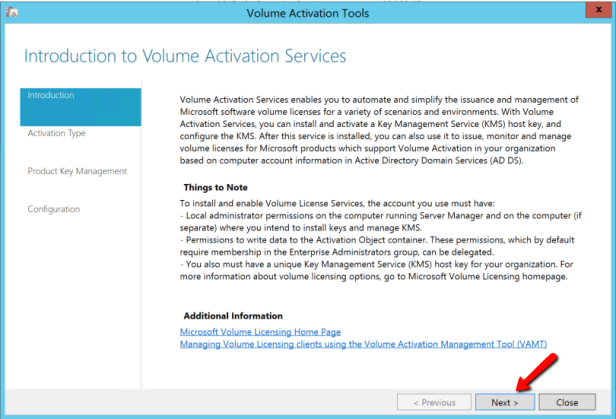
Click Next
If you are logged in with a user with out rights to the AD – then select the “Alternate credentials”

Enter you KMS key.
Optional – Enter a display name (I recommend this – so it is easy to se the object in AD if you have multiple KMS keys in same AD, ex. Windows8, Windows 10, Office2013 or Office 2016)
Click next
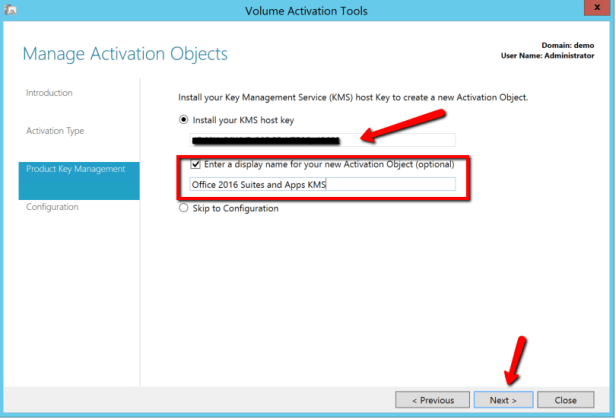
Click Commit to activate online

Click yes

Click close – if you click Next at this point you will delete the AD object you just created
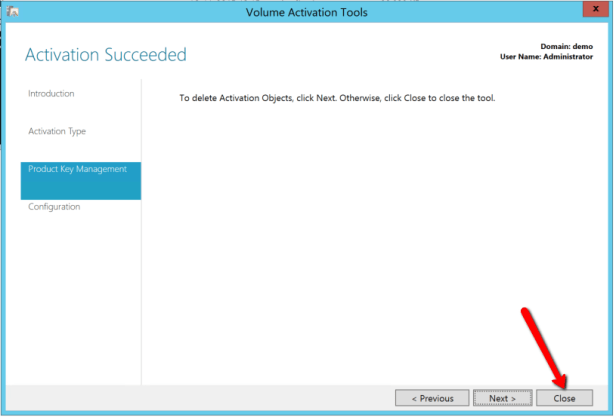
Click Yes

Now you can use ADSI edit to browse the AD to see your KMS object

In the Display name you can see the text created earlier.


