
Check if your Intune is in coexistence MDM authority with Office 365 MDM – Mobile-First Cloud-First
I got this question a couple of times over the last months, so now I will create a blog post on how to check it.
What is Office 365 MDM Coexistence: that means that in your tenant your end user can be either in Office 365 MDM or in Intune MDM.
How does it works??
If a user has and Intune license when enrolling the device will end up in Intune, if the user do not have a Intune license the device will end up in Office 365 MDM.
How do you check if your Intune is in coexistence with Office 365 MDM:
There is 2 ways of seeing it – depending on the Intune portal you are using.
First using Microsoft Endpoint Manager admin Center
On the home page click Device Enrollment

You can also use the direct link https://devicemanagement.microsoft.com/#blade/Microsoft_Intune_Enrollment/EnrollmentMenu/overview
Then if your tenant is in coexistence with Office 365 MDM then it will show:
MDM authority: Intune + Office 365

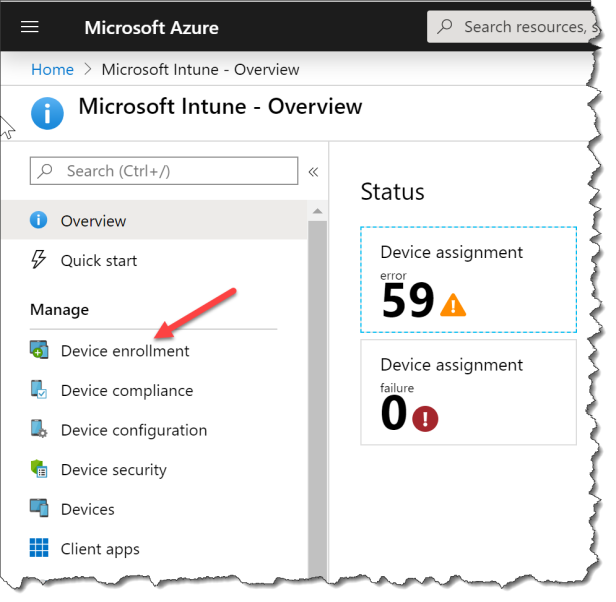
Second using Microsoft Azure portal
Click Device enrollment
Then if your tenant is in coexistence with Office 365 MDM then it will show:
MDM authority: Intune + Office 365

Hope this will help
Read more:
Set the mobile device management authority
Microsoft Intune Co-existence with MDM for Office 365


